How to Transfer Data from Android to Iphone
Switching to a new smartphone should be exciting, but for many users, it becomes stressful because of one major challenge—data transfer. From precious photos and videos to contacts, messages, app data, and important documents, our phones store almost every detail of our personal and professional lives. Losing any of this information during the phone migration process can be frustrating. Thankfully, Mobile Trans apps, often known as data transfer applications, solve this problem by offering a fast, secure, and convenient way to move everything from one device to another.
In 2025, Mobile Trans apps have become more advanced than ever before. With high-speed wireless technology, cross-platform support, strong encryption, and user-friendly interfaces, these apps make migration smooth even for non-technical users. This article explores how Mobile Trans apps work, their benefits, key features, and why they are essential for every smartphone user.
—
What Is a Mobile Trans App?
A Mobile Trans app is a specialized tool designed to transfer data between mobile devices. Whether you’re moving from Android to Android, iPhone to iPhone, or crossing between the two platforms, these apps allow you to move:
Contacts
Photos and videos
Call logs
Messages (SMS/WhatsApp)
Apps and app data
Calendar events
Documents and downloads
Notes and saved files
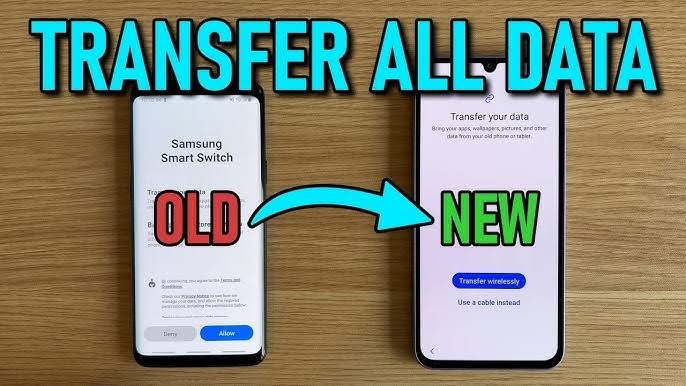
Instead of transferring everything manually—which takes hours—these apps automate the entire process. With just a few taps, all your data is cloned from your old phone to your new one.
—
High-Speed Data Transfer Technology
One of the biggest reasons Mobile Trans apps are popular is their impressive speed. Traditional methods such as Bluetooth or computer-based transfers are time-consuming. But modern transfer apps use advanced methods like:
Wi-Fi Direct
QR-based pairing
Local Hotspot connection
USB-C to USB-C cable transfer
Cloud syncing with high-speed servers
These technologies can move several gigabytes of data in minutes, not hours. For example, a 5GB video library can be transferred in under 2 minutes using Wi-Fi Direct. This speed is essential in an era where smartphones store massive amounts of media.
—
Cross-Platform Compatibility
Switching from Android to iPhone or from iPhone to Android used to be a complicated task due to differences in operating systems. Mobile Trans apps bridge this gap by supporting cross-platform migration. This means you can easily:
Move WhatsApp chats from Android to iPhone
Transfer contacts from iCloud to Google
Sync media files between different formats
Shift app data where supported
This compatibility has made phone switching much simpler for millions of users.
—
Security and Data Privacy
Data privacy is a major concern today, especially when dealing with sensitive personal files. Professional Mobile Trans apps prioritize security using:
End-to-end encryption
Local-only transfers (no cloud involvement unless selected)
Secure pairing codes
Automatic data deletion after transfer (optional)
Permission-based access
This ensures your data remains safe throughout the transfer process. Nothing is shared with third-party servers unless you choose a cloud option. For business users, this security is extremely important, as confidential documents must remain protected.
—
User-Friendly Design and Step-by-Step Process
One of the biggest strengths of Mobile Trans apps is their simplicity. You don’t need technical knowledge. The process typically involves:
1. Install the Mobile Trans app on both phones.
2. Select your source (old phone) and target (new phone).
3. Connect the phones using QR code, hotspot, Wi-Fi, or cable.
4. Choose the data you want to transfer.
5. Start the transfer and wait for completion.
Most apps give a detailed summary at the end, so you know exactly what was successfully moved.
This ease of use is one reason these apps are popular worldwide, especially among non-tech users.
—
Wide Support for Multiple Data Types
Mobile Trans apps support a growing number of file types. Modern smartphones store more than basic media:
App configurations
Wi-Fi passwords
Browser bookmarks
Notes and memo files
Health and fitness data
Ringtones and audio files
PDF and Office documents
Some apps even support transferring home screen layouts or app groups, making your new phone feel identical to your old one.
—
Extra Features That Add Value
Beyond simple phone-to-phone transfer, many Mobile Trans apps include additional features such as:
1. Backup and Restore
You can create a complete backup on:
PC or laptop
Cloud storage
External hard drive
This is useful even if you’re not switching phones.
2. Phone Cloning
This feature creates an exact replica of your old device—apps, settings, wallpapers, and all.
3. App Transfer
Some apps allow direct migration of:
Social media apps
Game data
Productivity tools
Messages from apps like WhatsApp, Viber, LINE, and WeChat
4. Multiple Device Sync
You can transfer data to multiple devices—useful for business or family setups.
5. Storage Analyzer
Many apps scan your device and help you clean unnecessary files before transferring, saving space on your new phone.
—
Why Mobile Trans Apps Are Essential in 2025
With phones becoming more advanced, users need reliable ways to move their digital life from one device to another without losing anything. Mobile Trans apps provide:
Speed
Accuracy
Security
Convenience
Cross-platform flexibility
They prevent data loss, which can save users from emotional stress and professional inconvenience. As smartphones continue to evolve, data transfer apps remain a crucial tool for smooth transitions.
—
Conclusion
Mobile Trans apps are no longer optional—they are essential for anyone upgrading or switching smartphones. They make the data migration process incredibly fast, safe, and user-friendly. Whether you are moving a few files or cloning your entire phone, these apps ensure that all your important information travels with you without any complications.
In a world where data is central to everything we do, Mobile Trans apps empower users to switch devices confidently and effortlessly. As technology advances further, these apps will continue to improve, offering even smoother, smarter, and more secure data transfer solutions for the future.