Unlock Any Mobile Screenlock Password
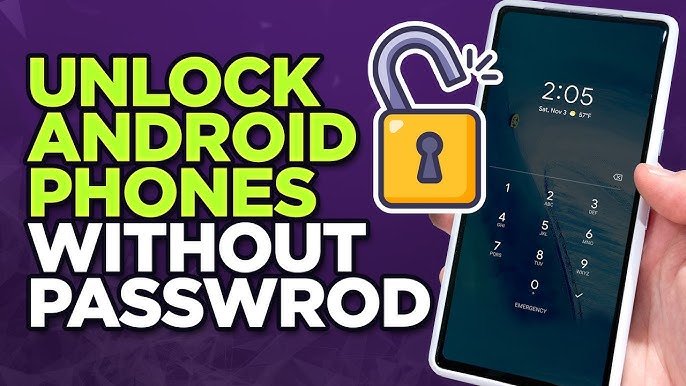
Unlocking a phone can mean different things depending on the situation. Sometimes users forget their screen lock password, while in other cases, they may want to unlock a network-locked device. Whatever the reason, it is important to use safe, legal, and effective techniques. In this article, we will explore various methods to unlock a phone securely.
1. Unlocking via Password Recovery Options
Most smartphones today come with built-in recovery options. If you forget your password, PIN, or pattern, you can use these features:
- Google Account (Android): After multiple failed attempts, Android may offer a “Forgot Pattern” or “Forgot Password” option. Signing in with your Google account can unlock the device.
- Apple ID (iPhone): iPhones allow users to reset access using their Apple ID through recovery mode or iCloud.
This is one of the safest methods because it does not harm your data (in some cases) and is officially supported.
2. Using Find My Device Services
Both Android and iPhone provide remote unlocking tools:
- Find My Device (Android): You can log in from another device and lock or reset your phone remotely.
- Find My iPhone: Apple users can erase their device remotely and set it up again.
These tools are useful when you cannot physically access your phone or forgot the password completely.
3. Factory Reset Method
A factory reset is a common solution when other options fail. This process removes all data from your phone and restores it to default settings.
Steps (General):
- Turn off your phone
- Press a combination of buttons (Power + Volume)
- Enter Recovery Mode
- Select “Wipe Data/Factory Reset”
While effective, this method deletes all personal data, so it should be used as a last resort.
4. Smart Lock and Biometrics
Modern phones offer features like fingerprint unlock, face recognition, and Smart Lock:
- Fingerprint Scanner: Quick and secure way to unlock
- Face Unlock: Uses facial recognition technology
- Smart Lock: Keeps your phone unlocked in trusted locations or when connected to certain devices
These methods are convenient and reduce the chances of getting locked out.
App Link
5. Unlocking Network-Locked Phones
Some phones are locked to a specific carrier. To unlock them:
- Contact your mobile carrier and request an unlock code
- Use official unlocking services after meeting requirements (like contract completion)
Avoid using illegal or unauthorized tools, as they can damage your phone or void the warranty.
6. Third-Party Unlock Tools (Use Carefully)
There are many software tools available online claiming to unlock phones. While some are genuine, others may contain malware or scams.
Tips:
- Always download from trusted sources
- Read reviews before using
- Avoid tools that ask for unnecessary permissions
Conclusion
Unlocking a phone is possible through several techniques, including password recovery, remote services, factory reset, and biometric features. The best method depends on your situation. Always choose official and secure options first to protect your data and device. Avoid illegal methods, and ensure that you are unlocking your own device or have proper permission.
By following these techniques, you can safely regain access to your phone without unnecessary risks.