Charging Alarm App: A Smart Solution to Protect Smartphone Battery
In today’s digital world, smartphones have become an essential part of our daily lives. From communication and entertainment to online work and payments, everything depends on a mobile phone. However, one common problem faced by almost every smartphone user is battery health. Overcharging, overheating, and leaving the phone plugged in for too long can seriously damage the battery. This is where a Charging Alarm App plays an important role.
A charging alarm app is a smart utility application that alerts users when their phone battery reaches a specific charge level. It helps prevent overcharging, improves battery lifespan, and ensures device safety. In this article, we will explore everything about charging alarm apps, including features, benefits, working mechanism, top use cases, and why you should install one in 2026.
What Is a Charging Alarm App?
A Charging Alarm App is a mobile application designed to notify users when their phone battery reaches a certain percentage, such as 80%, 90%, or 100%. The notification can be in the form of an alarm sound, vibration, or popup alert.
These apps are especially useful for users who:
- Forget to unplug their phone after charging
- Charge their phone overnight
- Want to extend battery life
- Are concerned about overheating or battery damage
Charging alarm apps are available for Android devices, and some versions also support tablets and smartwatches.
Why Overcharging Is Harmful for Your Phone
Although modern smartphones are designed to stop charging once they reach 100%, overcharging can still cause problems over time. When a phone remains plugged in after full charge, it can generate excess heat and stress the battery.
Problems caused by overcharging:
- Reduced battery capacity
- Faster battery degradation
- Phone overheating
- Swollen batteries
- Safety risks in extreme cases
A charging alarm app helps prevent these issues by reminding you to unplug the charger at the right time.
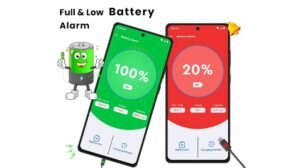
How a Charging Alarm App Works
Charging alarm apps work by monitoring your phone’s battery status in real time. When the battery reaches the user-defined percentage, the app triggers an alert.
Basic working steps:
- Install the charging alarm app
- Set a target battery percentage (for example, 80%)
- Plug in your charger
- The app monitors battery level
- Alarm rings when the set limit is reached
Some advanced apps also monitor temperature, charging speed, and battery health.
Charging Alarm App for Overnight Charging
Many people charge their phones overnight while sleeping. This is convenient but risky for battery health. A charging alarm app solves this problem by ringing an alarm when the battery is full.
You can:
- Set the alarm at 90%
- Keep the phone near you
- Unplug it once the alarm rings
This simple habit can make a big difference in long-term battery performance.
Best Use Cases of Charging Alarm Apps
Charging alarm apps are useful for different types of users.
For Students
Students often forget their phones while charging during study sessions. An alarm helps them unplug on time.
For Office Workers
Office users keep phones charging at desks for long hours. Charging alarms prevent overcharging.
For Gamers
Mobile gamers charge frequently. Battery alarms help maintain battery health despite heavy usage.
Advantages over built-in features:
- Custom alarm levels
- Audible alerts
- Temperature warnings
- Works on almost all Android devices
This makes charging alarm apps a valuable addition even on modern smartphones.
Is a Charging Alarm App Safe?
Yes, most charging alarm apps are safe if downloaded from trusted sources like the Google Play Store. They usually require minimal permissions, such as access to battery status.
Safety tips:
- Avoid unknown third-party websites
- Check app reviews and ratings
- Do not grant unnecessary permissions
App Link
Charging Alarm Apps and Battery Myths
There are many myths related to battery charging. Let’s clear some confusion.
- Myth: Charging to 100% is always bad
Reality: Occasional full charging is fine, but daily overcharging reduces lifespan. - Myth: Charging alarms damage phones
Reality: Charging alarm apps only monitor battery status and do not interfere with charging hardware.
Future of Charging Alarm Apps in 2026
With increasing focus on battery optimization and energy efficiency, charging alarm apps are becoming smarter. In 2026, we can expect:
- AI-based charging suggestions
- Smart alarms based on usage patterns
- Integration with smart plugs
- Better battery health analytics
As smartphones evolve, charging alarm apps will continue to play an important role in battery management.
Final Thoughts
A Charging Alarm App is a simple yet powerful tool for protecting your smartphone battery. It helps prevent overcharging, reduces overheating risks, and improves overall battery lifespan. Whether you are a student, office worker, gamer, or casual user, installing a charging alarm app can save you money and extend your phone’s life.