Mobile Call Forwarding App 2026: Manage Your Calls Anytime, Anywhere
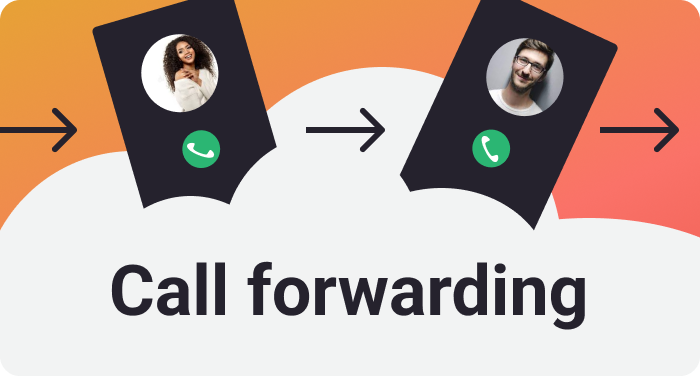
In 2026, mobile communication has become smarter than ever, and call forwarding apps are helping users stay connected without missing important calls. Whether you are busy at work, traveling, or using multiple devices, a mobile call forwarding app can make call management simple and convenient. These apps allow you to redirect incoming calls to another phone number based on your preferences.
Call forwarding is especially useful for business professionals, freelancers, customer support teams, and anyone who wants to ensure that important calls are always answered.
What Is a Mobile Call Forwarding App?
A mobile call forwarding app is a tool that helps users activate, deactivate, and manage call forwarding settings on their smartphones. Instead of manually entering forwarding codes every time, these apps provide an easy-to-use interface for controlling call forwarding features.
Most apps work with your mobile carrier’s built-in call forwarding service. They simply make it easier to enable or disable forwarding whenever you need it.
Key Features
Modern call forwarding apps in 2026 offer several useful features, including:
- One-tap call forwarding activation.
- Forward calls when your phone is busy.
- Forward unanswered calls after a selected number of seconds.
- Forward calls when your phone is switched off or unreachable.
- Save multiple forwarding numbers.
- Quick widgets for enabling or disabling forwarding.
- Simple and user-friendly interface.
Some premium apps also include scheduling options, allowing users to activate forwarding automatically during working hours or while traveling.
Benefits of Using a Call Forwarding App
There are many reasons why people use call forwarding apps:
Never Miss Important Calls: Important business or personal calls can be redirected to another phone.
Better Business Communication: Business owners can forward customer calls to team members or office numbers.
Travel Convenience: If you’re traveling, you can forward calls to another local or secondary number.
Dual Phone Management: Users with two smartphones can easily manage incoming calls between devices.
Easy Setup: Most apps require only a few taps to configure forwarding settings.
Is It Safe?
Yes, reputable call forwarding apps are generally safe because they use your mobile network’s official call forwarding service. However, users should always download apps from trusted app stores and carefully review the permissions they request.
Avoid apps that ask for unnecessary permissions unrelated to call management. Reading user reviews before installing an app is also a good practice.
Things to Remember
Before using any call forwarding app, keep these points in mind:
- Your mobile carrier must support call forwarding.
- Some network providers may charge additional fees for forwarded calls.
- International call forwarding can result in higher charges.
- Internet access is usually not required because forwarding is handled by your carrier’s network.
Always check your carrier’s terms and pricing before enabling call forwarding.
Who Should Use It?
Call forwarding apps are ideal for:
- Business professionals.
- Customer support representatives.
- Sales teams.
- Freelancers.
- Small business owners.
- Travelers.
- Anyone managing multiple phone numbers.
These apps help improve communication while ensuring important calls are never missed.
App Link
Final Thoughts
A mobile call forwarding app in 2026 is a practical solution for managing incoming calls more efficiently. With simple controls, flexible forwarding options, and support for multiple situations, these apps make staying connected easier than ever. Whether you use your phone for personal communication or business purposes, a reliable call forwarding app can save time and help you stay available when it matters most.
Remember that call forwarding apps do not create their own phone forwarding service. Instead, they simplify access to the call forwarding features already provided by your mobile network. Choosing a trusted app and understanding your carrier’s policies will help you enjoy a smooth and reliable experience.