Activate 4G to 5G Internet: Complete Guide
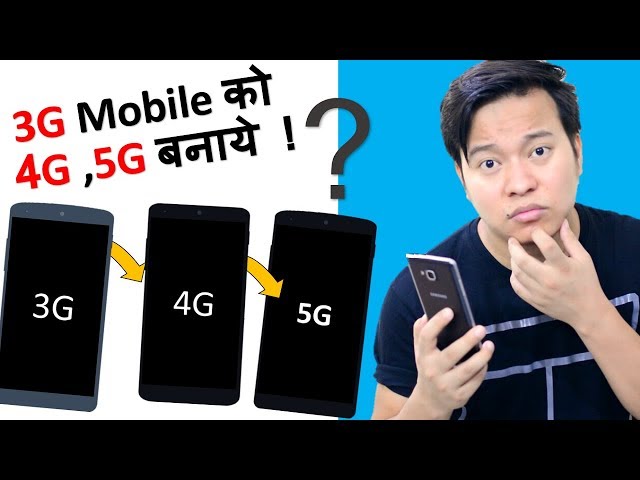
Many smartphone users search for ways to convert 4G internet to 5G internet because 5G can provide faster speeds, lower latency, and better performance for activities such as streaming, gaming, downloading, and video calling. However, it is important to understand that a software app cannot physically turn a 4G-only phone or network into true 5G. 5G requires compatible hardware, network coverage, and a supported mobile plan.
What Does “Convert 4G to 5G” Mean?
When people talk about converting 4G to 5G, they usually mean enabling 5G connectivity on a compatible smartphone. If your phone contains a 5G modem and your network operator provides 5G service in your area, you may be able to switch from 4G/LTE to 5G through the phone’s network settings.
If your smartphone is designed only for 4G, changing a setting or installing an application will not add genuine 5G hardware. Apps that claim to magically upgrade a 4G-only phone to 5G should therefore be treated cautiously.
Check Your Phone for 5G Support
The first step is to check whether your smartphone actually supports 5G. Open Settings > About Phone and look for the model number and network specifications. You can then check the manufacturer’s specifications for that exact model.
Some phones are available in both 4G and 5G versions, so the model number is important. Having a modern Android version alone does not mean that the phone supports 5G.
Enable 5G Network Mode
If your device supports 5G, open your mobile network settings. Depending on the phone manufacturer, you may find an option such as Preferred Network Type, Network Mode, or Mobile Network.
Select an option that includes 5G, such as 5G/4G/3G/2G Auto Connect. Your phone can then automatically use 5G when compatible coverage is available and return to 4G when 5G is unavailable.
The exact menu names can differ between Samsung, Xiaomi, Vivo, Oppo, OnePlus, Google Pixel, and other devices.
You Also Need 5G Coverage
A 5G-compatible phone is only one part of the process. Your mobile operator must also provide 5G coverage where you are located. If 5G service is unavailable, your phone will normally remain connected to 4G or another available network.
Network availability can vary by city, neighborhood, carrier, and even indoor location. For this reason, checking your operator’s current coverage information is recommended.
Can a 4G SIM Be Used for 5G?
In many cases, an existing SIM may work with 5G if the carrier supports it, but this depends on the operator and plan. Some providers may require a compatible 5G package, account setting, or newer SIM.
If 5G does not appear despite having a compatible phone, contact your carrier and ask whether your SIM, plan, and account are enabled for 5G service.
Do 5G Apps Really Convert 4G to 5G?
There are apps that claim to unlock 5G, improve network speed, or convert 4G into 5G. These apps cannot create a 5G connection on hardware that does not support 5G. Some may simply provide shortcuts to network settings, while others may contain aggressive advertisements or make misleading claims.
Instead of relying on a “4G to 5G converter” app, check your phone’s hardware, software settings, SIM, mobile plan, and local network coverage.
App Link
Tips for Better Mobile Internet Speed
If you are limited to 4G, you can still improve your connection. Keep your phone’s software updated, use a strong-signal location, restart your device when necessary, and make sure your preferred network mode is configured correctly. Closing unnecessary background downloads can also help when your connection is congested.
Conclusion
Converting a 4G-only smartphone into a genuine 5G device is not possible through an app or simple software setting. True 5G requires 5G-compatible hardware, supported network service, appropriate coverage, and a compatible plan or SIM.