Convert Your Mobile to Computer: Turn Your Smartphone into a PC
Smartphones have become powerful enough to handle many tasks that were once limited to computers. With the right apps and accessories, you can convert your mobile to a computer-like device and use it for browsing, documents, entertainment, online classes, office work, and even light productivity. This can be especially useful when you do not have access to a desktop or laptop.
What Does “Convert Mobile to Computer” Mean?
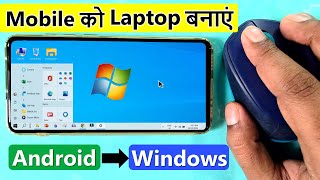
Converting your mobile to a computer does not physically change your phone into a desktop PC. Instead, it gives your smartphone a computer-style interface with features such as a desktop home screen, taskbar, resizable windows, file management, and keyboard-and-mouse support.
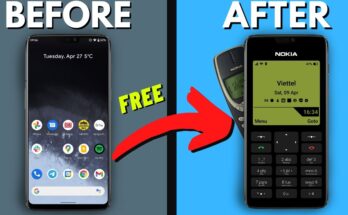
Some Android applications provide desktop-style launchers that make the phone look and feel more like a traditional computer.
How to Convert Your Mobile into a Computer
The easiest method is to install a reliable desktop launcher app from the Google Play Store. Search for terms such as “desktop launcher,” “PC launcher,” or “computer launcher.” Choose an app with good reviews and check its permissions before installing.
After installation, open the launcher and follow its setup instructions. Depending on the application, you may be able to customize the desktop wallpaper, icons, taskbar, start menu, and application shortcuts.
Connect a Keyboard and Mouse
For a better computer experience, connect a Bluetooth keyboard and mouse to your Android phone. Many modern smartphones support Bluetooth accessories without requiring additional software.
A physical keyboard makes typing emails, documents, searches, and messages much faster. A mouse can make navigation easier, particularly when using a desktop-style launcher with multiple windows.
If your phone supports USB OTG, you can also connect compatible wired keyboards, mice, USB drives, and other accessories using an appropriate OTG adapter.
Connect Your Phone to a Larger Screen
A larger display can make your smartphone much more useful for productivity. Some phones support screen mirroring, USB-C display output, or manufacturer-specific desktop modes.
If your phone supports one of these features, you may be able to connect it to a compatible monitor or television. You can then use your phone as the main computing device while viewing applications on the larger screen.
However, display compatibility depends on your phone model, Android version, and available hardware.
Use Productivity Apps
Once your phone has a computer-like interface, install applications for the tasks you normally perform on a PC. Cloud-based office suites can be used for documents, spreadsheets, and presentations. File manager apps can help organize downloads, photos, videos, and documents.
A web browser can also provide access to many desktop websites. For communication, email and messaging applications can keep your work organized in one place.
Advantages of Using a Phone as a Computer
The biggest advantage is convenience. Your smartphone is portable and usually already contains your important files, contacts, and applications. You can create a lightweight workstation without purchasing a separate computer.
It can also be useful for students, travelers, freelancers, and people who need occasional computer-style functionality.
Important Limitations
A smartphone cannot completely replace every computer. Performance depends on the phone’s processor, RAM, storage, and software. Professional video editing, advanced gaming, programming, and other demanding tasks may still require a dedicated computer.
App Link
You should also download applications only from trustworthy sources and avoid apps that request unnecessary permissions.
Conclusion
With a desktop-style launcher, keyboard, mouse, and compatible external display, you can transform your smartphone into a practical computer-like workstation. While it may not replace a powerful laptop or desktop for every task, it can provide an affordable and convenient solution for everyday productivity, browsing, entertainment, and basic office work.