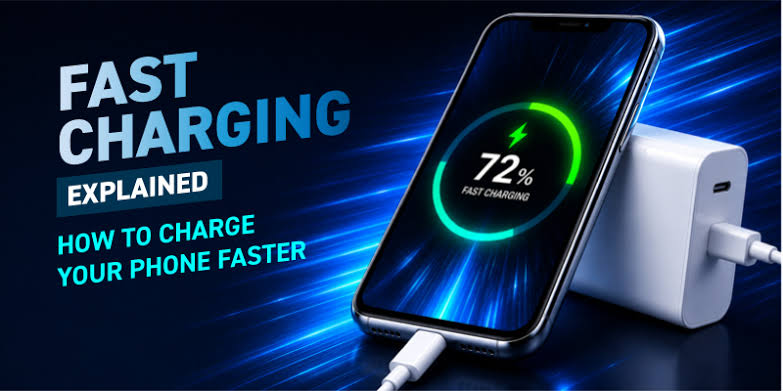
Fast Any Mobile Charging Speed: How to Charge Your Phone Faster
Fast charging has become an important feature for smartphone users. Nobody wants to wait for hours before using their phone again, especially when the battery is low and you need to leave home. Modern smartphones support different fast-charging technologies, but the actual charging speed also depends on the charger, cable, battery, temperature, and phone settings. In this article, we will discuss practical ways to improve charging speed on almost any mobile phone.
What Is Fast Mobile Charging?
Fast charging means delivering power to a smartphone at a higher rate than traditional charging. A compatible fast charger can provide more power, allowing the battery to reach a useful charge level in a shorter time. Some phones support technologies such as USB Power Delivery, Quick Charge, or proprietary charging systems.
However, installing an app cannot physically make a phone charge beyond the limits supported by its hardware. Charging-speed apps can sometimes help monitor battery temperature, charging current, or battery health, but they cannot turn a standard charger into a genuine fast charger.
Use a Compatible Fast Charger
The charger is one of the most important factors affecting charging speed. If your phone supports fast charging, use a compatible charger with the correct power rating. A higher-wattage charger is not automatically better because the phone controls how much power it accepts.
For the best results, check your phone manufacturer’s recommended charger specifications. Using a certified charger can also reduce the risk of overheating and charging problems.
Choose a Good Charging Cable
A damaged or low-quality cable can reduce charging performance. Some USB cables are designed to support higher charging speeds, while others are intended mainly for basic charging and data transfer.
If your phone supports high-speed charging, use a reliable cable that supports the required charging standard and power level. If charging suddenly becomes slow, replacing the cable can sometimes solve the problem.
Keep Your Phone Cool
Temperature has a major effect on charging. When a phone becomes too hot, its charging system may automatically reduce the charging speed to protect the battery.
Avoid charging your phone under a pillow, inside a hot car, or in direct sunlight. Remove a thick protective case temporarily if the device becomes unusually warm while charging. Keeping the phone at a normal temperature can help maintain stable charging performance.
Reduce Phone Usage While Charging
Playing games, watching high-resolution videos, using GPS, or running multiple demanding applications while charging can increase power consumption. This can make the battery appear to charge slowly because the phone is using some of the incoming energy.
For faster results, enable airplane mode when practical, reduce screen brightness, close unnecessary apps, and avoid heavy activities while the phone is charging.
Can a Charging App Increase Speed?
Many applications advertise features such as “Fast Charging,” “Charging Booster,” or “Battery Optimizer.” These apps may provide useful battery information, reminders, and monitoring tools, but they generally cannot increase the physical charging capability of your phone.
App Link
A genuine improvement usually comes from using compatible charging hardware, maintaining a healthy battery, and reducing heat and power consumption.
Final Thoughts
Fast mobile charging depends mainly on your phone’s hardware, charger, cable, battery condition, and temperature. There is no universal app that can magically convert a normal charging system into a high-speed charger. For the best charging performance, use a compatible certified charger and cable, keep the device cool, and avoid heavy usage while charging.
If your phone supports fast charging but has suddenly become slow, check the charger, cable, charging port, battery health, and device temperature. These simple steps can often improve charging performance without installing questionable “charging booster” applications.