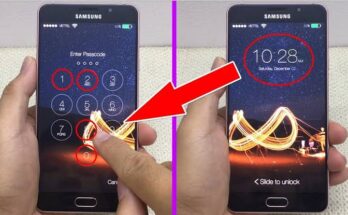
Mobile Control From Voice – The Smart Way to Use Your Phone Hands-Free
Modern smartphones have become more powerful than ever, and one of the most useful features available today is mobile control from voice. Instead of tapping your screen, you can simply speak commands to perform different tasks. Whether you want to make calls, send messages, open apps, or control your device while driving, voice control makes everything faster and more convenient.
Voice control technology is powered by artificial intelligence (AI), which understands your spoken commands and responds instantly. It is especially helpful for people who want a hands-free smartphone experience or have accessibility needs.
What Is Mobile Voice Control?
Mobile voice control is a feature that allows users to operate their smartphones using voice commands. You can ask your phone to perform actions like:
- Open apps
- Make phone calls
- Send text messages
- Set alarms and reminders
- Play music
- Search the web
- Turn Wi-Fi or Bluetooth on and off (depending on the device)
- Get directions using maps
Most Android devices support voice control through built-in digital assistants or compatible voice control apps.
Benefits of Voice Control
Using your voice to control your phone offers many advantages:
- Hands-free operation while driving or cooking
- Faster access to apps and settings
- Improved accessibility for users with physical disabilities
- Increased productivity by completing tasks quickly
- Safer phone usage without constantly touching the screen
Voice control helps users save time and makes smartphones easier to use in everyday life.
Features of Mobile Voice Control Apps
Many voice control apps include powerful features such as:
- Voice dialing for quick phone calls
- Voice typing for messages and notes
- App launching using simple commands
- Music playback control
- Alarm and timer management
- Navigation with voice directions
- Smart home device integration
- Custom voice shortcuts for frequently used actions
Some advanced apps also allow users to create personalized commands for specific tasks.
How to Set Up Voice Control
Setting up voice control is simple:
- Open your phone’s Settings.
- Enable the built-in voice assistant or install a trusted voice control app.
- Grant microphone permissions.
- Complete the voice recognition setup.
- Start using voice commands by speaking clearly.
A stable internet connection may improve recognition accuracy, although some commands work offline.
Best Situations to Use Voice Control
Voice control is useful in many daily situations:
- While driving to keep your hands on the wheel
- During workouts when touching the phone is inconvenient
- While cooking with messy hands
- While studying or working
- For elderly users who prefer simple phone operation
- For multitasking throughout the day
These scenarios make voice control one of the most practical smartphone features available.
Tips for Better Voice Recognition
To improve voice command accuracy:
- Speak clearly and naturally.
- Reduce background noise.
- Keep your microphone clean.
- Use simple commands.
- Update your phone and apps regularly.
- Train your voice assistant if that option is available.
Following these tips helps the assistant understand your commands more accurately.
App Link
Final Thoughts
Mobile control from voice is changing the way people interact with smartphones. With just a few spoken words, you can complete everyday tasks quickly, safely, and conveniently. Whether you are driving, working, exercising, or simply looking for a hands-free experience, voice control makes smartphone usage smarter and more efficient.
As voice recognition technology continues to improve, voice-controlled smartphones will become even more accurate and useful. If you haven’t tried mobile voice control yet, now is the perfect time to explore this convenient feature and enjoy a faster, hands-free mobile experience.