Find My Device: The Smart Way to Locate Your Lost Phone
Losing your smartphone can be stressful, especially when it contains important photos, contacts, messages, and personal information. Fortunately, the Find My Device feature helps users quickly locate, secure, and recover their Android phones. Whether your phone is misplaced at home or lost while traveling, this powerful tool makes it easier to protect your data and find your device.
What Is Find My Device?
Find My Device is a security feature designed for Android smartphones and tablets. It allows users to locate their device on a map, play a loud sound, lock the phone remotely, or erase all data if the device cannot be recovered. The feature works through your Google account, making it simple to manage your device from another phone or computer.
Key Features
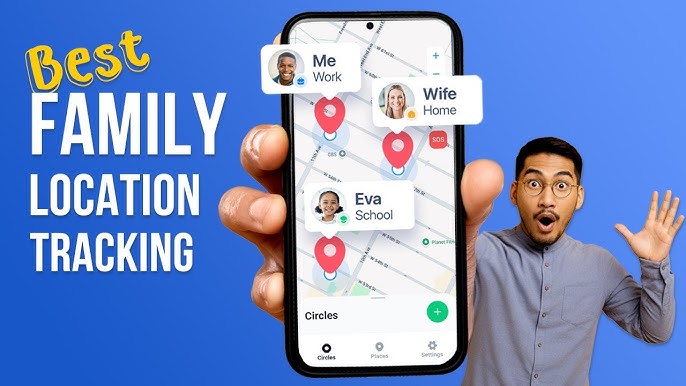
One of the best features of Find My Device is real-time location tracking. If your phone is connected to the internet and location services are enabled, you can see its approximate location on a map.
Another useful feature is Play Sound. Even if your phone is set to silent mode, Find My Device can make it ring at full volume for several minutes. This is especially helpful when your phone is hidden under furniture or misplaced nearby.
The Secure Device option lets you remotely lock your phone with your PIN, password, or pattern. You can also display a custom message and contact number on the lock screen, making it easier for an honest person to return your device.
If you believe your phone has been stolen and recovery is unlikely, the Erase Device feature allows you to permanently delete all your personal data, helping protect your privacy.
How to Use Find My Device
Using Find My Device is simple. First, ensure that your Android phone is signed in with a Google account, location services are enabled, and Find My Device is turned on in the device settings.
If your phone goes missing, open the Find My Device website or use the Find My Device app on another Android device. Sign in with the same Google account linked to your lost phone. After a few moments, the service will display your device’s location if it is online.
From there, you can choose to play a sound, lock the device, or erase its data based on your situation.
Benefits of Find My Device
Find My Device offers several advantages. It increases the chances of recovering a lost phone, protects sensitive personal information, and provides peace of mind. Since it is available for free with most Android devices, users do not need to purchase additional tracking software.
The feature is also easy to use, making it suitable for beginners and experienced smartphone users alike.
Tips for Better Protection
To get the most out of Find My Device, always keep your phone connected to your Google account, enable location services, and use a secure screen lock. Regularly back up your important files and photos so your data remains safe even if you need to erase your device remotely.
Download
Keeping your phone charged and connected to the internet also improves the chances of accurate location tracking.
Conclusion
Find My Device is one of the most useful security tools available for Android users. Its ability to locate, ring, lock, and erase a lost phone makes it an essential feature for protecting both your device and your personal information. By enabling Find My Device before your phone is lost, you can enjoy greater security and confidence knowing that your data is better protected and your smartphone has a much higher chance of being recovered.